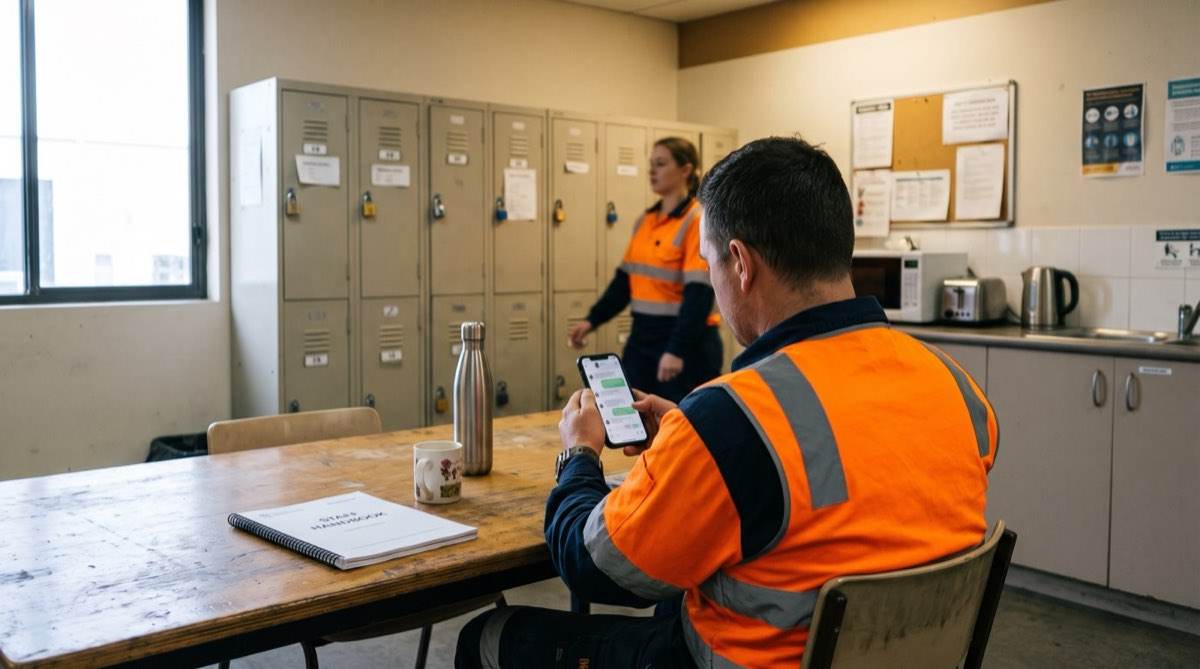
An HR policy chatbot lets staff ask "how much notice do I give for annual leave?" in Microsoft Teams and get the answer from your own policy, with the document name, clause and version date shown. Questions about bullying, injury, resignation or a pay dispute skip the chatbot and go straight to a person in HR. Done well, it gives every site the same answer.
If you run HR, people and culture or IT for an organisation with several sites, you know the pattern. The same five questions arrive every week: leave, allowances, uniforms, overtime and rosters. The answer depends on which enterprise agreement or award the person is on, and every branch answers slightly differently.
The searching costs real time. Microsoft's 2023 Work Trend Index surveyed 31,000 workers in 31 markets, and 62% said they spend too much time searching for information (Microsoft WorkLab, 2023). A Gartner survey of 4,861 employees found 47% of digital workers struggle to find the information they need (Gartner, 2023, reported by CFOtech Australia). Policy questions are part of that, and when staff cannot find the answer they ask HR.
Key takeaways
- An HR policy chatbot is only trusted if it answers from one current version of each policy and shows the clause it used.
- Sensitive topics (bullying, harassment, injury, resignation, mental health, discipline, pay disputes) should go to a person, never to an automated answer.
- Microsoft 365 Copilot can do part of this, but only after a permissions clean-up and a curated policy library.
- Map which enterprise agreement or award applies to which role and site before building anything.
- Run the chatbot alongside HR on the real top questions until it meets a threshold HR sets.
Why do HR policy chatbots get vetoed or ignored?
You are probably reading this after one of four moments. Each points to a different part of the fix.
| What you hear | What it tells you |
|---|---|
| "Every branch answers it differently" | The policy library has duplicates and site variations nobody has mapped |
| "IT won't let us paste the policy manual into ChatGPT" | The assistant has to run inside your own systems |
| "We tried a chatbot and nobody trusted it" | Answers had no source, or came from old versions |
| "Only one person in HR really knows the EA" | Key-person risk: the knowledge lives in one head |
The security veto is reasonable. The risk sits in what staff type. "Can I take leave for IVF?" and "what happens if I report my supervisor?" are personal questions that should not sit in a public tool on a personal account. If staff are already using public tools, our guide to running a shadow AI inventory is the place to start.
When a first chatbot fails, the content is usually the cause. A chatbot fed a SharePoint folder with three versions of the leave policy will quote whichever it finds first. Staff notice once, go back to emailing HR, and the chatbot becomes a link nobody clicks. Our comparison of AI agents and chatbots explains why the curated source matters more than the model.
Can Microsoft 365 Copilot be your HR policy chatbot?
If you already pay for Microsoft 365 Copilot, it can do part of this. It answers questions from SharePoint content, and Microsoft's documentation says Copilot "only surfaces organizational data to which individual users have at least view permissions" (Microsoft Learn). Put a clean policy library in a well-permissioned site and Copilot will find it.
The gaps show up when Copilot is used as an HR policy assistant out of the box:
- Oversharing. Copilot surfaces anything a user can open. A salary spreadsheet in a loosely shared HR site becomes answerable. The Digital Transformation Agency's evaluation of the Australian Government Copilot trial found that "Copilot may magnify poor data security and information management practices" (DTA, 2024).
- Agreement mapping. Copilot does not know a Townsville field technician sits under a different agreement from a Brisbane office coordinator.
- Version control. A 2022 draft and the approved 2026 policy look the same unless someone curates the content.
- Hand-off rules. There is no default rule that sends a bullying question to a person. You build that as an agent with guardrails.
- Licences. Frontline and shift staff often lack Copilot licences, yet they ask the most questions about rosters and allowances.
- Processing location. Microsoft states that customers outside the EU "may have their queries processed in the US, EU, or other regions". Some security teams accept that and some do not.
Copilot can still be the right choice once the groundwork is done. Our Copilot permissions audit guide walks through the clean-up.
Which of these describes your situation best?
- Most staff already hold Copilot licences and your HR sites can be cleaned upRoute A: Copilot set up properly, with a curated policy library and a Copilot Studio agent
- Many shift or field staff have no Copilot licenceRoute B: a dedicated assistant in Teams, inside your own systems
- Several enterprise agreements or awards apply by role and siteRoute B, or Route A with agreement mapping built into the agent
- Security requires processing in AustraliaRoute B, running on your infrastructure in Australia
What are the two ways to build an HR policy chatbot in Teams?
Route A: Copilot, set up properly
This suits organisations where most staff already have Copilot. The work starts with a permissions clean-up across HR and people sites, then a curated library with one current version per document, then an agent built in Copilot Studio that answers only from that library, cites the clause and hands sensitive topics to HR. Our Copilot readiness engagement covers all three.
Route B: a dedicated policy assistant
This suits mixed workforces. The assistant runs on your infrastructure in Australia (your cloud or your own servers) and appears as an app in Teams, so a forklift operator or night-shift nurse can ask a question without a Copilot licence. It reads only the approved policy library. Our private AI infrastructure and custom AI development pages explain how it is built and handed over, and the data sovereignty guide covers residency.
Both routes end in Teams and depend on the same groundwork: a clean library, a map of who is on which agreement, and the guardrails below.
What guardrails make staff trust an HR policy chatbot?
This decides whether staff still use the assistant after week two. Each guardrail is a rule HR signs off before anything is built.
- Staff ask in TeamsPlain words, any device
- Sensitive topic checkBullying, injury, resignation or pay dispute go to a person in HR
- Role and site lookupPicks the agreement and site rules that apply
- Approved documents onlyCurrent versions from the policy library
- Answer with sourcePolicy name, clause and version date
- Logged for HRGaps and unclear policies flagged
It answers only from approved, current documents. Every answer shows the policy name, clause and version date. The technique is retrieval augmented generation: the assistant finds the relevant clauses first, then writes an answer from those clauses alone.
When the documents do not cover it, it says so. "Our policies don't cover that. I've sent your question to HR." Staff forgive that reply. They stop using a chatbot after one confident wrong guess.
Sensitive topics go straight to a person. Bullying, harassment, injury, resignation, mental health, discipline and pay disputes go to HR without an attempted answer. This ties to real obligations. Employers have a positive duty under the Sex Discrimination Act to take proactive steps against sexual harassment, which the Australian Human Rights Commission has been able to enforce since 12 December 2023 (AHRC). WHS laws also require employers to manage psychosocial hazards such as bullying (Safe Work Australia).
No personal or payroll data in Phase 1. The first version answers policy questions only. It does not look up leave balances or pay. The Privacy Act's employee records exemption is narrow (OAIC), so we design to the Australian Privacy Principles regardless, and the question log stays in your environment with access limited to HR.
Entitlements show the NES floor beside your clause. The National Employment Standards are minimums an award, agreement or contract cannot reduce (Fair Work Ombudsman). The assistant shows your clause and the NES minimum, labels it as a reference and points to HR for advice.
Answers depend on role and site. The assistant knows from your directory or HR system which agreement and site a person belongs to, so two people asking the same overtime question get the answer for their own agreement.
Every question and answer is logged. HR can audit any answer, and the log shows which policies confuse people most.
For who can switch a guardrail off, see our guide to AI agent governance, data access and human override and our AI governance framework.
| HR inbox today | Policy assistant in Teams | Impact | |
|---|---|---|---|
| Where staff ask | Email, phone, a corridor chat | Teams, on a phone or desktop | One channel |
| Which document answers it | Whichever version the person finds | The current approved version only | Version shown |
| Agreement applied | Depends who you ask | Matched to role and site | Consistent |
| Source shown | Rarely | Policy name, clause and date | Checkable |
| Sensitive matters | Mixed in with routine email | Routed to a person straight away | Prioritised |
| Insight for HR | None | Log of questions and gaps | Visible |
How do you turn HR policies into a staff assistant, step by step?
- Step 1Clean the policy libraryFind duplicates, old versions and conflicts. One current version of each document.
- Step 2Count the top questionsPull a month of the HR inbox and tickets. This is your baseline.
- Step 3Map agreements to peopleWhich agreement, award and site rules apply to which role and location.
- Step 4Set the guardrailsSensitive topics, referral wording, data limits, logging. HR signs off.
- Step 5Run alongside HRHR checks answers to the real top questions until they meet HR's threshold.
- Step 6Go live in TeamsStart with one site or one group, then widen.
- Step 7Review monthlyApproved policy updates reach the assistant the same day.
- Clean the policy library. Collect the manual, handbook, each enterprise agreement, relevant awards, site procedures and WHS procedures. Expect the same policy in four places. Keep the current version, archive the rest, and record an owner and review date.
- List the top questions. Group a month of HR inbox, ticket and phone notes, then count and rank them. That count is your baseline and your test set.
- Map who is on which agreement. Write down which agreement, award and site procedures apply to which roles and locations. Getting this into a table removes key-person risk even before any AI runs.
- Set the guardrails. Agree the sensitive topic list, the exact referral wording, what the assistant may never do, and who reads the log.
- Run alongside HR. The assistant answers the top questions while HR answers as usual, and HR compares the two each week against a threshold set in advance. No staff member sees an answer until it is met.
- Go live in Teams. Start with one site. Every answer carries its source, and a "this was wrong" button sends the exchange to HR.
- Review monthly. Fix the policies people misread and add the questions the assistant could not answer.
What is an HR policy chatbot worth? A worked example
We do not know your question volume. Here is the arithmetic to run on your own baseline. The figures are a hypothetical example, not a forecast.
- Example: routine policy questions per week40
- Example: minutes per question (find the policy, check the agreement, reply)10
- 40 questions x 10 minutes400 minutes
- Example HR time on repeat questions per weekAbout 6.7 hours
Replace the 40 and the 10 with your step 2 count and a timed sample, then decide what share of questions the assistant must answer correctly before it is worth running. The harder benefit to price is the same answer at every site, with the clause to prove it.
How does an engagement run?
Each phase has a fixed fee agreed before we start, and ends at a decision point. You proceed, pause or stop, and keep everything delivered.
- Phase 1, discovery and design: library audit, top-question baseline, agreement map, guardrails, and the Route A or Route B decision.
- Phase 2, build and run alongside HR: the assistant is built and tested against HR's answers each week. No staff member sees it yet.
- Phase 3, go-live and handover: live in Teams for a first group, with HR reviewing flagged answers. Code, documents and admin access pass to your IT team.
After handover, managed AI services can keep the library and guardrails current. This post goes deeper on one piece of the broader AI HR agent for policy questions, leave and onboarding. For customer-facing answers from your documents, see client-facing GPTs built on business knowledge.
How Solve8 can help
Our consultants clean up the policy library, map agreements to roles and sites, and build the assistant in Teams with HR approving the guardrails and the go-live threshold. Start with our custom AI development service or, if you are on Copilot, Copilot readiness. Talk to us and bring a month of your most common HR questions.