Alarm rationalisation is the structured review of every configured alarm against a written alarm philosophy, so each alarm is valid, correctly prioritised and has a defined operator response. The fastest way to do it at plant scale is to start from the alarm and event history already in your historian, rank the load, and benchmark it against EEMUA 191 and ISA-18.2.
Key takeaways
- Alarm rationalisation stalls when it runs as row-by-row workshops across thousands of alarms.
- A small share of tags usually generates most of the alarm load, and the historian already records which ones.
- EEMUA 191 and ISA-18.2 give published benchmarks for manageable alarm rates and alarm floods.
- Analytics ranks, clusters and flags drift. Engineers decide every threshold, priority and suppression.
- A baseline against the guidelines takes one to two weeks and needs no software purchase.
Why do operators stop reading the alarms?
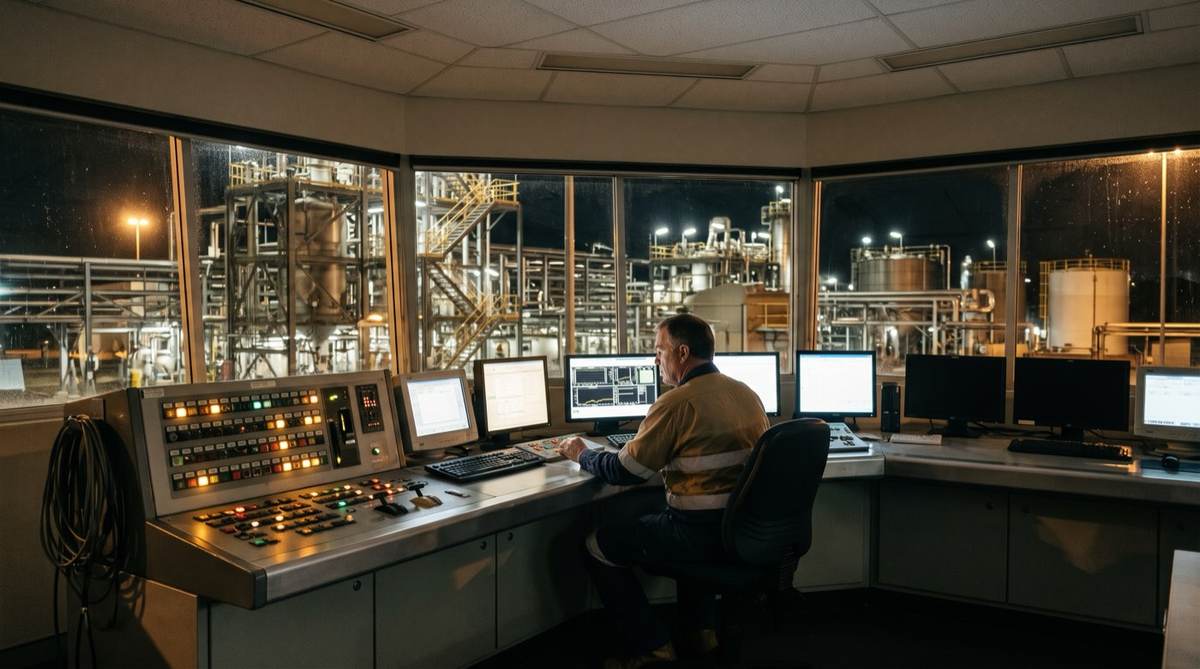
Consider a typical Australian processing plant on night shift. One board operator watches three screens. Over an eight-hour shift the alarm summary logs thousands of entries, mostly the same twenty tags cycling in and out of alarm: a level sitting just above a poorly set threshold, a pump that trips its high vibration alarm every time it starts.
The operator learned months ago that acknowledging them all is the job and reading them all is impossible. So alarms get acknowledged in bulk, and the one alarm that was different scrolls past at 2am inside the noise.
The alarm system was meant to be the last engineered layer of protection before something goes wrong. Over time it has become background noise because nobody had time to fix it. If you run a plant, water utility, smelter, mine site or any continuous process in Australia, your historian's alarm log is probably showing this right now.
What does alarm rationalisation actually mean?
Rationalisation reviews every configured alarm against a documented philosophy to confirm four things: the alarm is valid, it has a defined operator response, it is set at the right threshold and priority, and it earns its place on the screen. An alarm with no action an operator can take is a distraction.
The reference documents are worth naming precisely:
- EEMUA Publication 191, Alarm Systems: A Guide to Design, Management and Procurement, the guideline most Australian sites benchmark against.
- ANSI/ISA-18.2, Management of Alarm Systems for the Process Industries, the formal standard.
- IEC 62682, the international equivalent, aligned with both.
These documents agree on the shape of a healthy alarm system and on the benchmarks that show whether yours is one.
What alarm rates do EEMUA 191 and ISA-18.2 treat as manageable?
The guidance treats an average of around one alarm every ten minutes per operator position, roughly 144 to 150 a day, as the level a person can reliably manage in steady operation. Well-performing sites run below it. An alarm flood is commonly defined as more than ten alarms in ten minutes for one operator, a rate at which nobody can assess and act on each one.
- Manageable average alarm rate (steady state, per operator)~150/day
- Target for a well-performing systemBelow that rate
- Alarm flood threshold (one operator)>10 in 10 min
- Priority distribution most sites aim forWeighted to low priority
These are published benchmarks, not a savings claim. They give you a target and a way to measure the gap. Against them, the night shift above is a plant whose alarm system has failed its design intent. Sites that have never rationalised often do not know how far over they are, because nobody has counted.
Why does the workshop method for alarm rationalisation stall?
The textbook approach is a series of workshops. The alarm list is exported, and process engineers, operators and a facilitator work down it row by row, deciding whether each alarm stays, its priority and its response. On a small skid this works.
On a plant with fifteen thousand configured alarms the arithmetic defeats it. At a realistic review rate of a few dozen alarms an hour, the full list is months of workshop time that the same engineers must find alongside their day jobs.
So the effort covers the first few hundred alarms and stops. The resulting philosophy document was never applied to most of the system. Meanwhile new alarms arrive with each project commissioning, and the gap widens again.
The way through is to stop reviewing every alarm with equal effort. A small fraction of tags generates most of the load, and the historian knows which ones. Fix those first, with evidence, and the screen gets quiet enough for a genuine review of the rest.
What can your historian's alarm data tell you?
Every alarm and event that fired is recorded. Whether it sits in OSIsoft PI event frames, an AVEVA Historian, a Citect alarm log or a DCS journal, each record has a timestamp, a tag, a state transition and usually a priority. Analysed properly, it answers the questions a workshop guesses at:
- Chattering: tags cycling in and out of alarm many times an hour because the threshold sits inside normal process noise.
- Standing: alarms left active and unacknowledged for hours or days.
- Stale: alarms that fired once and never cleared.
- Correlated: groups that fire together, where one upset generates twenty alarms.
- Floods: when they happen, minute by minute, and what triggers them.
| Alarm pathology | What the data shows | Impact | |
|---|---|---|---|
| Chattering | Threshold sits in the process noise band | Same tag, many transitions per hour | Deadband / delay |
| Standing / stale | Operator leaves it active permanently | Long active-unacknowledged duration | Re-set or remove |
| Duplicate | Several alarms for one condition | Tags that always fire together | Consolidate |
| Flood | One upset floods the screen | >10 in 10 min, correlated | Suppress on cause |
| Nuisance priority | Everything set to high at commissioning | Priority distribution skewed high | Re-prioritise |
The first pass of an evidence-led rationalisation is a query. Rank every tag by the alarm load it generated over a representative period, such as ninety days. The top of that list, usually a few dozen tags, is where most of the operator's noise comes from, and it is where the review starts.
Can AI do alarm rationalisation?
AI and analytics help with the data work. They should never own decisions that change the alarm itself. An alarm system is a safety function, and claiming a model can make engineering calls is how you make things worse.
Where analytics earns its place:
- Clustering correlated alarms to surface groups a person scrolling a log will miss.
- Detecting that a tag has started chattering more than it used to.
- Flagging drift in alarm behaviour after a process change.
- Reading operators' free-text shift comments to connect a recurring alarm to what was happening on the floor. That comment field is often the most honest record of what the alarm system is doing.
What stays with engineers: whether an alarm is safety related, its priority, the threshold that protects the equipment, and whether and when it can be suppressed. A model ranks the candidates and shows the evidence. An engineer, working to the site's alarm philosophy, makes the call.
The same principle applies to any AI agent working over operational data: read-only access, and a person in the loop on anything that touches plant state.
What is the task in front of you?
- Find the tags generating the most loadAnalytics: rank from the log
- Group alarms that fire togetherAnalytics: correlation clustering
- Set a threshold or priorityEngineer: against the philosophy
- Decide if an alarm is safety relatedEngineer: risk assessment
Boards are having the same conversation about where AI oversight belongs in an operational business. On a plant floor the answer is more conservative than in a back office, because the failure modes are physical.
What does an evidence-led rationalisation workflow look like?
The path starts from data and ends with a maintained system, rather than a shelved document.
- ExtractPull the full alarm and event history from the historian
- RankOrder tags by alarm load, find floods and correlations
- TriageFix chattering and nuisance alarms first, with evidence
- ReviewRationalise the rest against the alarm philosophy
- MonitorTrack KPIs against EEMUA 191 every period
The last step makes it stick. A one-off rationalisation decays as projects add alarms. Publishing alarm KPIs on a schedule, the same way the plant reports production, means a rising alarm rate or a new chattering tag shows up as a number someone owns. That reporting is a natural extension of getting historian data into Power BI.
How long does an alarm rationalisation take?
Done this way, the first result arrives in weeks, followed by an ongoing cadence.
- Weeks 1-2BaselineExtract history, benchmark against EEMUA 191, quantify the gap
- Weeks 3-5Quick winsFix the top load generators: deadbands, delays, duplicates
- Weeks 6-12Full reviewRationalise remaining alarms against the philosophy
- OngoingSustainPublish KPIs each period, manage change on alarms
The baseline is worth doing on its own. It turns a vague sense of too many alarms into a defensible number, benchmarked against a recognised guideline, showing where the load concentrates. That number is what turns alarm management from a complaint into a funded piece of work.
Why does alarm management matter for SOCI and mine safety obligations?
For critical infrastructure operators, the Security of Critical Infrastructure Act 2018 and its risk management program obligations expect controls protecting essential services to be effective and maintained. An alarm system that floods and gets acknowledged in bulk is a control that is not doing its job, and the evidence sits in logs an auditor could ask to see. See our guide to CIRMP obligations under the SOCI Act.
For mine sites, where an alarm is a control in a principal hazard management plan, you need to show it fires when it should, is not buried in noise and gets acted on. The alarm history either supports that claim or undermines it.
How do you start alarm rationalisation without buying anything?
Start with an extract and a baseline:
- Pull ninety days of alarm and event history from the historian.
- Rank tags by alarm load and count the floods.
- Compare the results against the EEMUA 191 and ISA-18.2 benchmarks.
That analysis tells you whether you have a tuning problem in a handful of tags, a philosophy problem across the system, or a change management problem where every project adds noise. Each needs a different fix, and the baseline tells them apart before anyone commits to a build.
Across our consultants' careers, including engagements in BHP, Rio Tinto and Schneider Electric environments, the pattern repeats: the evidence for fixing plant data problems is usually already logged and rarely read.
How Solve8 can help
Our consultants and engineers turn alarm and historian data into a baseline and a rationalisation plan that finishes, as part of our OT and mining data work and system integration services. Alarm KPIs can then sit in the same reporting and analytics your operation already uses. Talk to us about baselining your alarm system before anyone proposes a tool.