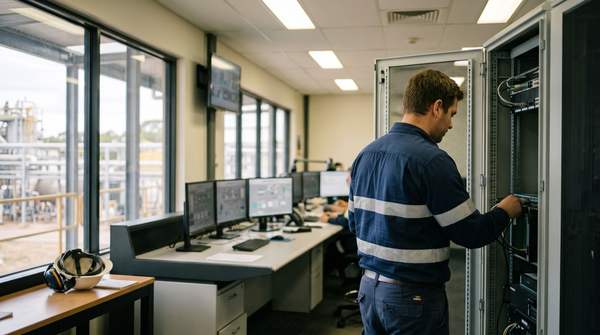
AI helps Australian security companies in six areas: guard rostering, patrol route optimisation, alarm verification, incident reporting, client communication and licence compliance. For a multi-site operator with a large guard workforce, the biggest gains usually come from rostering and compliance checks first, then video-based alarm verification in the monitoring centre.
Key takeaways
- Rostering is the fastest win: AI matches shifts to guards by licence, location, availability, fatigue rules and overtime thresholds.
- Most alarm activations are false. Video-based verification lets monitoring operators focus on real events.
- Mobile, guided incident reporting produces faster, more complete reports and searchable data for clients and tenders.
- Automated licence and certificate checks stop unlicensed guards being rostered, a serious legal exposure.
- AI detects, verifies and drafts. Guards and supervisors still respond, decide and stay accountable.
Why security companies are adopting AI
Many security businesses still run on whiteboards, spreadsheets and phone calls: shift assignments, last-minute replacements, paper incident reports and manual licence tracking. For an operator with hundreds of guards across many client sites, that administration consumes operations managers' weeks.
Pressures are building:
- Licensing and compliance. States continue to update private security licensing. Victoria, for example, has been reforming its licence and registration framework. Manual tracking across a large workforce is risky.
- Award costs. The Security Services Industry Award (MA000016) sets penalty rates for nights, weekends and public holidays, so every inefficient roster decision costs money.
- Client expectations. Large clients want real-time reporting, GPS-verified patrols and incident documentation within minutes.
- False alarms. US Department of Justice guidance has long reported that the large majority of alarm calls are false, and Australian monitoring centres face the same pattern.
- Turnover. High guard turnover makes onboarding, licence checks and rostering a constant workload.
| Manual Operations | AI-Assisted | Impact | |
|---|---|---|---|
| Shift scheduling | Hours each week by phone and spreadsheet | Auto-filled roster reviewed by a scheduler | Faster |
| Last-minute replacement | Calling guards one by one | Qualified, available guards offered the shift instantly | Minutes |
| Incident reports | Paper or free text, often incomplete | Guided mobile capture with photos and metadata | More complete |
| Alarm handling | Operators review every activation | Video verification filters likely false alarms | Focus |
| Licence checks | Periodic manual checks | Daily automated checks and expiry alerts | Continuous |
| Payroll reconciliation | Manual matching of timesheets and rosters | Geofenced clock-ins feed payroll | Fewer errors |
1. Guard scheduling and rostering AI
- Input RequirementsClient contracts, shift needs, coverage requirements
- Guard DatabaseAvailability, skills, licences, location, preferences
- OptimisationMatch requirements, avoid overtime, check compliance
- AssignmentRoster proposed, scheduler approves, guards notified
The system weighs licence status and class, site inductions, distance to site, overtime thresholds, fatigue rules, availability and preferences at once. A scheduler juggling these for hundreds of guards across dozens of sites needs hours; software proposes a roster in seconds.
Platforms such as Deputy, Guardhouse, Celayix and TrackTik offer auto-fill, overtime alerts and licence-aware scheduling.
What vendors may not mention: rosters are only as good as the rules captured. A client's informal requirement ("only site-inducted guards on the loading dock after 10pm") must be in the system. Audit every AI-generated roster for the first few weeks and encode what you find.
2. Patrol route optimisation
Patrol is a logistics problem. Route optimisation considers site priority and required visit frequency, guard location and traffic, historical incident hotspots, client checkpoint requirements and fuel.
Most operators start with GPS-tracked routes and deviation alerts: if a guard misses a checkpoint, the supervisor is notified. QR codes or NFC tags at checkpoints provide proof of presence. More advanced setups adjust routes during the shift, adding a pass of a higher-risk site when a guard finishes early.
Requirements: GPS-enabled devices, geofencing, checkpoint tags and integration with rostering for clean handovers.
3. Alarm verification in the monitoring centre
False alarms cost staff time, vehicle runs, guard overtime and, worst of all, slow responses to real events because of alarm fatigue.
- Alarm TriggeredSensor activation detected
- Video AnalysisAI checks camera feeds for people or vehicles
- Context CheckWeather, time, site schedule, history
- Operator DecisionVerified alerts prioritised for a person
Video analytics distinguish people and vehicles from animals, weather and moving vegetation, and correlate with access control. Operators then act on verified alerts with a clip attached, instead of scanning dozens of feeds. Keep a person making the dispatch decision and audit filtered alarms regularly to make sure real events are not suppressed.
4. Incident reporting automation
| Paper or Free Text | AI-Assisted Mobile | Impact | |
|---|---|---|---|
| Time to complete | Long, often written up after shift | Captured at the scene | Faster |
| Completeness | Key details often missing | Guided prompts for required fields | More complete |
| Supervisor review | Reading and chasing details | Structured summary to approve | Quicker |
| Client notification | Next business day | Within minutes for serious incidents | Real time |
| Data for analysis | Unusable paper | Searchable database | Actionable |
AI assistance includes voice-to-text, fields filled from GPS, time, guard and site data, photo and video capture with metadata, suggested categories and escalation triggers for serious incidents. A supervisor reviews before anything goes to a client.
The compliance benefit: when a client asks "how many incidents in the past six months?", the answer takes seconds, and tender submissions can draw on real data.
5. Client communication automation
- Daily or weekly site summaries generated from patrol data
- Incident notifications with documentation
- Shift confirmations showing who is on duty
- Monthly dashboards with response times and patrol completion
Start with incident notifications, then scheduled summaries. The AI drafts, a manager reviews, the client receives consistent updates. Proactive reporting reduces "what happened last night?" calls and strengthens renewals.
6. Compliance and licence management
- Daily licence validity checks against state registers where available
- Expiry warnings at 90, 60 and 30 days
- First aid, working with children and training expiry tracking
- Visa work-rights monitoring
- Blocking rostering of guards with expired or cancelled licences
Working without a valid security licence carries heavy penalties in every state, and employing unlicensed guards creates serious liability. Automated checks belong in the risk management budget.
Video analytics: what AI can detect
- People versus animals and weather
- Vehicles loitering in restricted areas
- Perimeter breaches and fence-line intrusions
- Unusual gatherings or crowd density
- Unattended objects
Facial recognition is heavily constrained by the Privacy Act 1988 and OAIC guidance; treat it as high risk and get advice before any use. Deployment options include cloud analysis of existing feeds, on-premises appliances and cameras with built-in analytics. Start with your highest-risk sites.
Implementation roadmap
- Week 1-2Operations auditMap workflows, measure time on manual tasks, identify pain points
- Week 3-4Platform selectionEvaluate rostering and operations platforms against your requirements
- Month 2Core deploymentScheduling, time tracking, licence compliance
- Month 3Mobile rolloutGuard apps, patrol tracking, incident reporting
- Month 4-6Advanced featuresRoute optimisation, alarm integration, client reporting
Audit first. Measure weekly hours on scheduling, replacements, incident reports, payroll reconciliation, compliance checks and client communication. That baseline sets priorities.
What is your primary challenge?
- Rostering and scheduling chaosScheduling-first platforms such as Deputy or Celayix
- End-to-end security operationsIntegrated suites such as Guardhouse or TrackTik
- Mobile patrol managementField-focused patrol apps
- Compliance and licence trackingCompliance-first tools or custom checks against your HR system
Core deployment: import guards with licences and qualifications, set up sites with coverage templates, configure overtime and fatigue rules, enable geofenced clock-in and connect payroll. Run old and new processes side by side for two pay periods.
Mobile rollout: short practical sessions showing guards how the app helps them (easier shift swaps, confirmed hours, simpler reporting). Resistance drops when guards see personal value.
Advanced features: route optimisation, monitoring centre integration, client dashboards and predictive scheduling.
- Scheduler and operations manager hoursRedirected to clients and retention
- Non-billable overtimeFlagged before it is rostered
- Unnecessary alarm dispatchesReduced through verification
- Licence compliance exposureChecked daily
- Client retentionSupported by proactive reporting
Calculate each line from your own audit and payroll data.
What does not work yet
- Autonomous response. AI can detect and verify; guards respond.
- Client relationships. Renewals and difficult conversations stay with people.
- Training. AI tracks competencies but cannot replace hands-on training in de-escalation and emergency response.
- Workplace relations. Consult guards and, where relevant, unions before introducing tracking and automation, and comply with enterprise agreements and workplace surveillance laws.
- Legacy systems. Older systems may need migration or custom integration.
How Solve8 can help
We connect rostering, HR, payroll and client reporting systems for multi-site security operators, add licence checks and incident summarisation, and keep supervisors approving anything that reaches clients. AI runs on your infrastructure in Australia. See our field service and facilities work and process automation service, or talk to our team.