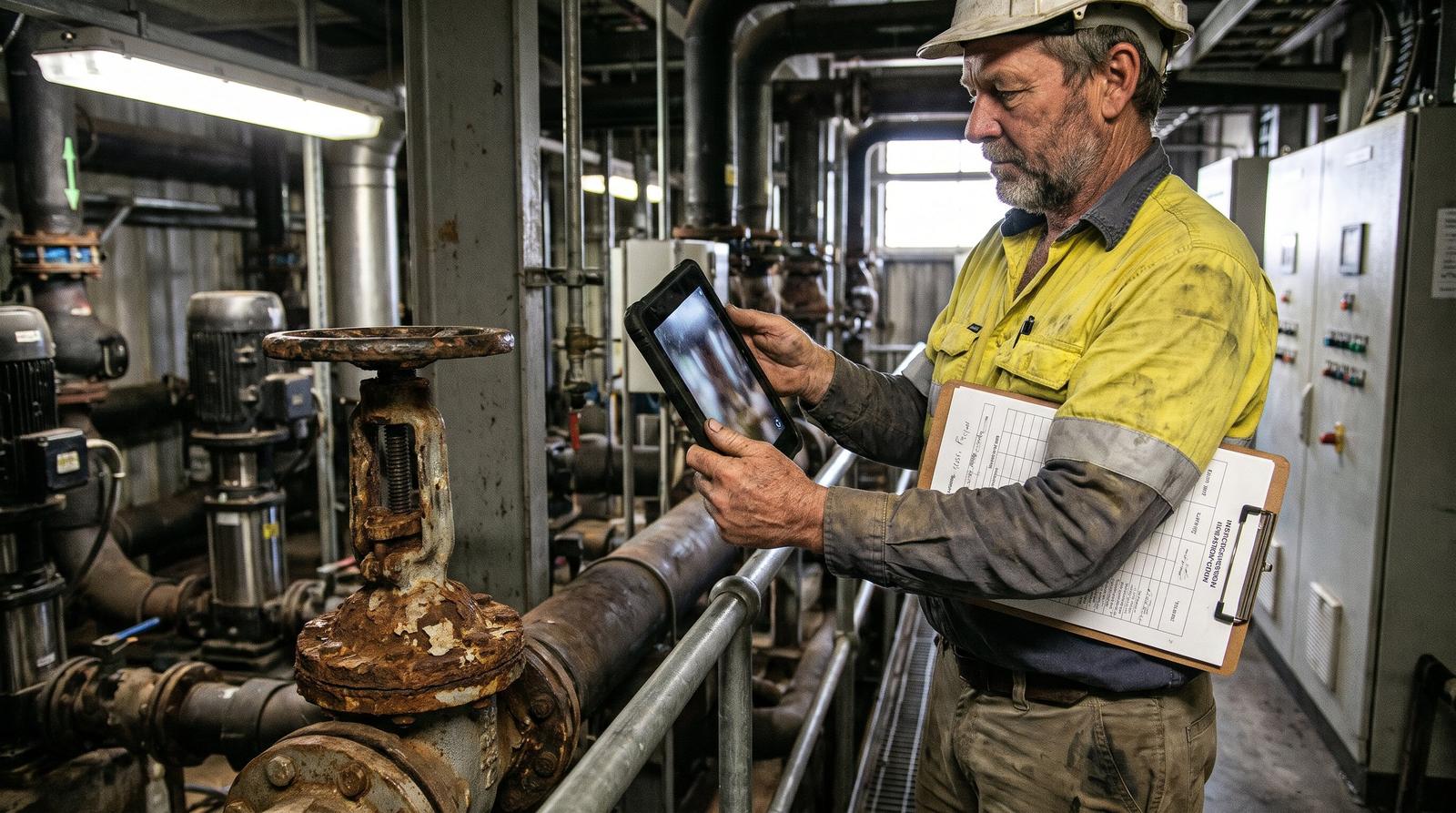
Maintenance and assets
Inspection notes and defect photos become work orders by hand. Can AI do the first pass?
Last updated
Yes. AI can read inspection reports, technician notes and defect photos, classify each defect and its priority, match it to the asset register, check for an open work order on the same fault, and draft the work order in your CMMS or ERP. A planner or supervisor approves every draft before release. Start with one inspection type at one site and measure agreement with your planners.
Who this is for
This page is for maintenance managers, asset managers, facilities leads and reliability engineers in councils, facilities management firms, mining services contractors and fleet operators, where inspection reports, technician notes and defect photos are read by a planner and retyped into the CMMS or ERP as work orders.
It covers what AI can do on the first pass, which systems it writes into, how a person keeps control of release, and where the approach does not fit.
How the first pass works
Read the inspection
AI reads the inspection report, form or technician note and the attached photos, and extracts each defect, its location and the asset described.
Match the asset register
Each defect is matched to an asset ID using site, location, asset type and any tag or serial number in the text or photo. Defects that match nothing go to a person.
Classify defect and priority
AI suggests the defect type, failure or damage code and priority from your own defect list and priority matrix.
Check for duplicates
Before drafting, AI looks for an open notification or work order on the same asset and fault, and links the new finding to it.
Draft the work order
A draft is created in the CMMS or ERP with asset, description, priority, suggested trade and photos attached.
Approve before release
A planner or supervisor reviews the draft, edits it if needed and releases it. The AI cannot release work.
What AI drafts and what stays with a person
| Step | AI does | Person does |
|---|---|---|
| Defect description | Writes a clear description from notes and photos | Inspector records the finding on site |
| Priority | Suggests priority from your matrix | Planner confirms, and always decides safety-critical defects |
| Asset | Proposes the asset ID and flags low-confidence matches | Planner confirms or corrects |
| Duplicates | Links to open work orders on the same fault | Planner merges or keeps them separate |
| Release | Nothing | Supervisor releases and schedules the work |
| Asset register gaps | Lists assets found on site but missing from the register | Asset manager updates the register |
Where it fits
Councils
Road, footpath, playground and building inspections across several depots, where defects from inspectors and customer requests need a priority and the right crew.
Facilities management
Planned maintenance inspections and reactive requests across client sites, with contract response times set by priority.
Mining services
Contractor inspection sheets and shift notes that become SAP PM notifications for the client, where planners currently rewrite many notifications before they can be used.
Fleets
Pre-start checks and workshop inspection notes across depots, turned into defect work orders against the right vehicle or plant item.
Systems it writes into
In SAP S/4HANA, maintenance requests and notifications are where maintenance work starts, so the AI drafts the notification with asset, damage code and long text for a planner to review and turn into a maintenance order. In Dynamics 365 and Pronto Xi, it creates draft work or service records through the available APIs. In Uptick, defects found on site already carry photos and technician remarks and can become quotes, so AI is used to classify defects consistently and draft the follow-up work. Every write-back uses an integration user with only the permissions the job needs, and can create drafts but not release them.
Proof from fire protection
Defect records categorised
For a national fire protection provider, Solve8 built AI that checks and categorises each technician defect record and suggests quote lines. It was built in the client's own cloud in Sydney and is entering shadow mode, where its results are compared with the quoting team's decisions. Reading defect notes, classifying them against one list and drafting for approval is the same pattern maintenance work orders need.
Limits
Weak asset register
If assets lack IDs or locations, matching fails. Use the AI's unmatched list to clean the register first.
Safety-critical defects
A person decides priority on anything that could hurt someone or stop a critical asset.
Poor photos and one-word notes
AI returns them to the inspector for more detail instead of guessing.
Predictive maintenance
Failure prediction from sensor data is a separate project with different data. This page covers inspection and defect records.
How Solve8 delivers it
Solve8 works in fixed-fee phases: discovery on one inspection type at one site with a measured baseline of how long defects take to become released work orders, a shadow pilot on live inspections where you set the accuracy bar, a build into your CMMS or ERP on your infrastructure in Australia, then support or handover. A planner approves every draft. Workshops run on site at the depot or plant, and builds run remotely under your access controls.
Related work
- AI quoting for fire protectionDefect records categorised and quote lines suggested, built in the client's cloud in Sydney.
- Consistent fire defect quotesOne defect list and AS 1851 category across every branch.
- Field service to ERP integrationPass completed jobs from simPRO, Uptick or AroFlo into finance.
- Mining contractor prequalificationPrequalification packs and compliance evidence for mining clients.
Sources
Uptick, Defect quoting feature: https://www.uptickhq.com/au/features/defect-quoting
SAP Learning, Creating and Planning a Maintenance Task in SAP S/4HANA Asset Management: https://learning.sap.com/courses/exploring-functions-and-innovations-in-sap-s-4hana-asset-management/creating-and-planning-a-maintenance-task
Questions
Can AI turn inspection photos and notes into work orders in SAP PM?
Yes, as drafts. AI reads the inspection note and photos, matches the asset, suggests the damage code and priority, and creates a draft notification in SAP S/4HANA for a planner to review and turn into an order. Release stays with the planner, and the integration user can only create drafts.
How does AI avoid creating duplicate work orders?
Before drafting, it searches open notifications and work orders on the same asset for a matching fault description, location and date range. Likely duplicates are linked to the existing order and shown to the planner, who decides whether to merge them.
Our asset register is incomplete. Will AI still work?
Partly. AI can match defects where the asset is identifiable and list the ones it cannot match. That list is often the fastest way to find gaps in the register, so register clean-up can run alongside the pilot.
How accurate does defect classification need to be before we rely on it?
The business sets the bar per defect category during a shadow pilot, comparing AI suggestions with planners' decisions on live inspections. Safety-critical categories stay with a person whatever the score. Measure by site and inspection type so weak spots show before go-live.
Who can help councils and facilities managers across Australia with AI for work orders?
Your CMMS or ERP partner configures the system itself. For AI that reads inspections and photos and drafts work orders into SAP, Dynamics 365, Pronto Xi or Uptick, use a firm that integrates through those APIs and measures accuracy in a pilot. Solve8 works across Australia and New Zealand, with workshops on site and builds run remotely.
Related
- Fire protection quotingDefect records categorised and quote lines suggested.
- Our technicians code fire protection defects differently at every branch. Can AI make quotes consistent?How AI maps fire protection defect notes from every branch to one defect list and AS 1851 category so quotes stay consistent, with a person approving each.
- Field service and facilitiesJobs, assets and compliance evidence.
- We key jobs from simPRO, Uptick or AroFlo into Pronto, Xero or MYOB by hand. How do we stop the double entry?How to stop rekeying jobs from simPRO, Uptick or AroFlo into Pronto Xi, Xero or MYOB: which connectors exist, their limits, and where AI helps.
- Custom AI developmentAI that reads, checks and drafts the first pass.
- Every mining client wants a different prequalification pack and tender response. Can AI cut the paperwork?How AI drafts mining prequalification and tender answers from a controlled document library, flags expired certificates and keeps every answer consistent.

Defects retyped into work orders at every site?
A 30-minute review with a senior consultant. You leave with a written one-page summary you can share internally.
Fixed-fee phases, agreed before we start. Stop after any phase.