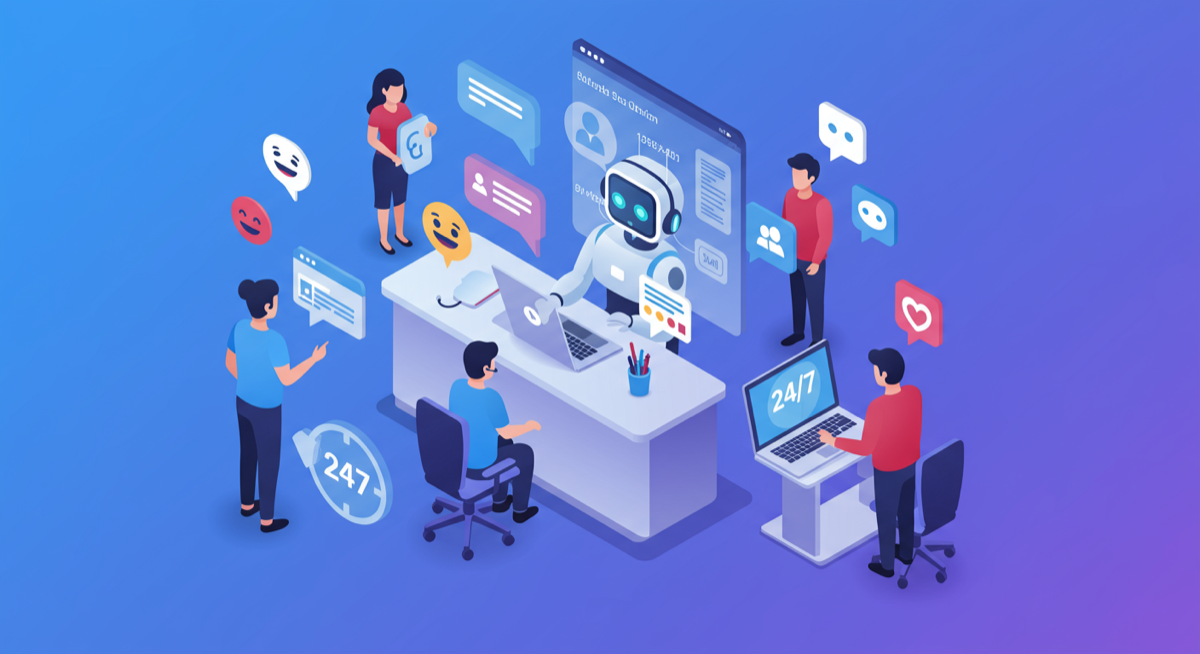
Let me save you some time: 75% of customers feel that chatbots struggle with complex issues and often fail to provide accurate answers. That's not my opinion - that's what Zendesk's research shows.
And yet, Klarna's AI chatbot handles two-thirds of all their customer chats, reducing resolution time from 11 minutes to under 2 minutes.
So which is it? Are chatbots terrible, or are they transformative?
Customer service automation across Australia - from Sydney logistics firms to Melbourne manufacturers to Brisbane professional services - reveals a frustratingly nuanced answer: most chatbots fail because they're implemented badly, not because the technology doesn't work.
The difference between a chatbot that delights customers and one that makes them want to throw their phone across the room comes down to four things: knowing when to deploy it, training it on your actual data, building seamless human handoff, and automating ticket categorisation properly.
This guide covers all four. Honestly.
Before we talk about what works, we need to understand why 63% of customers will abandon a company after just one poor chatbot experience.
Research from WorkHub AI found that poor escalation protocols account for over 65% of chatbot abandonment. Customers get trapped in loops, asking the same question different ways, hoping the bot will eventually understand.
Consider a Perth-based insurance broker who deploys a chatbot without human handoff capability. Their Net Promoter Score could drop 23 points in six weeks. Customers aren't angry about the chatbot existing - they're angry about being trapped.
The fix: 80% of customers will only use chatbots if a human option exists. Always - always - include an obvious path to a human agent.
Most chatbot vendors demo their product with perfectly curated FAQ data. Then you deploy it with your actual customer questions, and it falls apart.
Consider a construction company in Adelaide with a failing chatbot. The bot might be trained on their website FAQ - 47 questions and answers. Meanwhile, their actual support tickets contain 340+ unique question types, including highly specific queries about material certifications, delivery scheduling for remote sites, and warranty claims on specific product batches.
The chatbot is technically working. It just doesn't know anything useful.
The fix: Train on real customer interactions, not marketing copy. Export your last 1,000 support tickets and use that as your foundation.
Traditional chatbots have zero emotional intelligence. Customer writes "This is the THIRD time contacting you about this." Bot responds with "How can I help you today?"
That's not service. That's salt in a wound.
The fix: Modern platforms like Intercom's Fin AI and Zendesk's AI agents include sentiment analysis. When frustration is detected, they can immediately adjust tone, acknowledge the situation, and prioritise escalation.
Your chatbot sits in isolation. Customer asks about their order status. Bot has no connection to your order management system. Bot responds with "Please contact us during business hours for order enquiries."
Customer was already contacting you. During business hours. That's why they're using the chat.
The fix: Chatbots must connect to your CRM, ticketing system, and operational databases. This isn't optional. A chatbot without system access is just a fancy FAQ page.
Here's an honest framework for evaluating chatbot use cases:
Simple, repetitive queries - "What are your hours?", "Where's my order?", "How do I reset my password?"
Research shows chatbots can handle up to 80% of routine customer service questions effectively. For these queries, customers actually prefer bots - 62% prefer chatbots over waiting for a human agent, and 74% prefer chatbots specifically for simple questions.
After-hours coverage - 64% of customers say 24-hour access is their favourite benefit of chatbot support. A chatbot handling midnight questions for a Melbourne retailer with customers across time zones is genuinely valuable.
High-volume periods - During peak seasons, chatbots absorb the surge without requiring temporary staff. One Australian e-commerce client uses their chatbot to handle 3x normal volume during Black Friday without any increase in support headcount.
Proactive engagement - Chatbots can reach out first: "I noticed you've been on the shipping page for a while. Can I help with delivery questions?"
Complex troubleshooting - Anything requiring multiple steps, judgement calls, or deviation from standard procedures.
Emotional situations - Billing disputes, complaints, service recovery, anything where the customer is frustrated. 59% of customers feel that chatbots often misunderstand the nuances of human communication.
High-value conversations - Upselling, retention offers, complex purchases. A human can sense hesitation and adapt; a bot follows the script.
Sensitive topics - Personal data, legal matters, financial disputes. Customers need to trust who they're talking to.
Win-back situations - When a customer is cancelling or churning, you need human empathy and negotiation skills.
The best implementations follow a triage model: chatbot handles first contact, qualifies the issue, and either resolves it (simple queries) or routes to the right human with full context (complex queries).
This isn't bot OR human. It's bot AND human, each doing what they're best at.
The vendors won't tell you this: chatbot training is not a one-time setup. It's an ongoing process that takes 4-6 weeks to mature and requires continuous refinement.
Don't start with your website FAQ. Start with:
For example, an accounting firm might discover that 34% of their support volume is questions about their client portal login process - a topic not mentioned once in their official FAQ.
Group your queries by:
Focus your chatbot training on high-frequency, low-complexity queries first. This is your 80/20: the 20% of question types that represent 80% of volume.
Structure matters. A well-organised knowledge base should include:
Modern platforms like Chatbase, CustomGPT, and Zendesk's AI use Retrieval-Augmented Generation (RAG) to search your knowledge base semantically, not just keyword matching. This means they can find relevant answers even when customers phrase things unusually.
This is crucial and often overlooked. Your chatbot should have confidence thresholds:
Setting these thresholds too low means wrong answers. Setting them too high means unnecessary escalations. Start conservative (70%+ for auto-response) and adjust based on customer feedback.
Schedule monthly knowledge base reviews:
A Brisbane professional services firm, for example, might reduce their escalation rate from 45% to 18% over three months simply by conducting these monthly reviews and continuously improving their knowledge base.
The moment of handoff - when a customer transitions from chatbot to human - is the most dangerous moment in automated customer service. Get it wrong and you undo all the goodwill the chatbot built.
| Metric | Bad Handoff | Good Handoff | Improvement |
|---|---|---|---|
| Context transfer | Customer repeats everything | Full transcript shared | 100% |
| Wait time communicated | No expectation set | Estimated wait shown | Trust |
| Agent awareness | 'How can I help?' | 'I see you asked about...' | Seamless |
| Customer effort | High - starts over | Low - continues conversation | 3x better |
The customer should feel like Sarah was listening the whole time, not like they're starting over.
This exact scenario happens at many businesses. The technology exists to do handoff properly - the failure is in implementation.
Zendesk: Native handoff with full transcript transfer. Agents see the conversation in the same interface they use for tickets. Routing based on agent skills and availability.
Intercom: Fin AI Agent includes automatic handoff based on confidence and sentiment. The human agent receives context, suggested responses, and relevant knowledge base articles.
Freshdesk: Freddy AI handles handoff with conversation history. Supports skill-based routing across email, chat, and social channels.
Third-party platforms (Ada, Chatbase, etc.): Integration quality varies. Verify that your helpdesk connector transfers full conversation history, not just a summary.
Beyond customer-facing chatbots, the real efficiency gains come from automating what happens behind the scenes: sorting, categorising, and routing support tickets to the right people.
Modern AI ticketing systems use natural language processing to analyse incoming tickets and:
This happens in seconds. IBM found that customers using Watson Assistant reduced response times by 70% through intelligent routing alone.
Zendesk: Native AI ticketing assigns tickets based on learned patterns. Workflow automation handles status updates and escalations without human input.
Freshdesk: Freddy AI categorises and prioritises tickets, routing based on agent skills. Achieves up to 90% accuracy on repetitive request handling.
Intercom: Fin AI Copilot assists agents with suggested responses and ticket categorisation. Works alongside human agents rather than replacing them.
For Australian businesses already using these platforms, enabling AI categorisation typically takes 2-4 weeks of configuration and training.
The numbers from actual implementations are compelling:
For SMBs, the results are proportionally similar. A 50-person Australian professional services firm might reduce their ticket handling time by 55% and reassign one full-time support role to higher-value customer success work.
Based on typical implementations, here's what actually happens:
Reality check: Expect 40-50% of queries to need human intervention initially.
Reality check: Escalation rates should drop to 25-35%.
Reality check: This is when you see real time savings. Earlier is setup investment.
Honest pricing for customer service automation:
Entry level (Tidio, Chatling): $29-99/month
Mid-market (Intercom Fin, Zendesk AI, Freshdesk Freddy): $0.50-1.00 per resolution + platform subscription
Enterprise (Ada, Forethought): Custom pricing, typically $1,500-5,000+/month
Industry data suggests $3.50 return for every $1 invested in AI customer service. Most businesses achieve positive ROI within 3-6 months of implementation.
If you're processing 200+ customer enquiries monthly, dealing with inconsistent response times, or watching your support team struggle with volume, customer service automation is worth serious consideration.
The path forward:
The chatbots that fail are the ones deployed hastily with generic training and no human backup. The chatbots that succeed are the ones trained on your actual data, configured with proper escalation paths, and continuously refined based on real customer interactions.
Done properly, customer service automation doesn't replace your team - it amplifies them. Your human agents spend less time on password resets and more time on the complex, high-value conversations that actually need human judgement.
That's not just efficiency. That's better customer service.
Ready to implement customer service automation that actually works? This approach works for Australian businesses across accounting, construction, logistics, and professional services. Book a free 30-minute assessment - we'll review your current support volume and tell you honestly whether automation makes sense for your situation.
Sources: Research synthesised from Zendesk AI Customer Service Statistics, Salesforce Australia SMB Trends Report 2024, WorkHub AI chatbot research, Kommunicate human handoff studies, and direct implementation experience across Australian businesses.